


Weather Forecast & Live Radar
4.74.12K Reviews
App Specs
- Version
- 1.8.0
- Updated On
- License
- Free
- Downloads
- 1,000,000+
- Developer
- Weather 365 Days
- Categories
- Weather
- Platform
- Android
Screenshots
 Analysis by AppCompare
I usually check the weather at the point where a plan could still change: before choosing how to get to work, packing for a walk, or deciding whether an outdoor errand can wait. Weather Forecast & Live Radar is built for that kind of quick decision, with forecasts that bring daily and hourly conditions together with local and national air-quality information. I find that mix practical because it connects the sky outside with the conditions that may affect a longer day out.
The app is free, and its Everyone age rating makes it an easy option to consider for a household phone as well as personal use. It is developed by Weather 365 Days, has a 4.7 average from around 32,000 ratings, and has passed one million installs. Those figures suggest a well-used weather tool, though I would still judge it by whether its information fits my location and routine. The current version is 1.7.3, and it runs on Android 6.0 or later.
From checking the sky to making a plan
I use the forecast as the start of a decision, not the whole decision: first I work out what the day requires, then check the hours that matter and decide what to carry or change. The next section looks at how that routine connects the app’s different views to practical choices, including when a quick glance is enough and when I’d keep a backup plan.
Start with the decision, not the dashboard
When I open a weather app, I do not need every available number at once. I need to know whether to bring a coat, leave earlier, or move an activity indoors. This app’s appeal is that it puts everyday forecasting at the center while also offering more detail for users who want to look beyond a single temperature. I would treat it as a planning aid, not a guarantee: forecasts are most useful when they help me make a sensible choice, and less useful when I expect them to remove all uncertainty.
A useful habit is to check the forecast twice for a day that matters: once while making the plan and again before leaving. The first check helps with broad choices, such as whether an outdoor lunch is worth arranging. The later check is better for small adjustments, such as taking a light layer or allowing extra time. That workflow gets more value from any forecast without pretending that conditions cannot change.
Move from the daily outlook to the next few hours
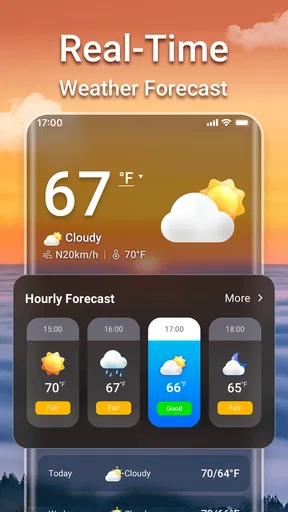
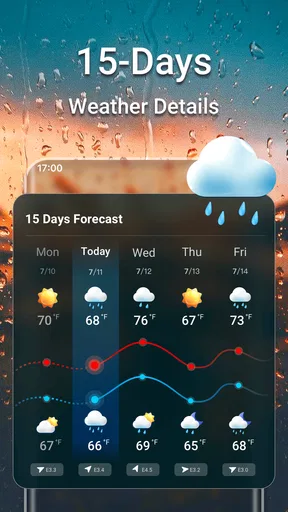
For a normal weekday, I would start with the daily forecast, then look at the hourly view around the time I expect to be outside. A day can sound manageable overall but still have an inconvenient spell of rain or wind during a school pickup, commute, or dog walk. Looking at the relevant hours is more useful than reacting to the day’s headline condition alone.
The hourly forecast is also a sensible way to compare two possible time slots. If I can walk before lunch or later in the afternoon, I can check both windows and choose the one that appears more comfortable. I would avoid reading a small change as a promise, especially when plans depend on precise timing, but the comparison can still help me decide whether to go early, bring an umbrella, or keep the outing flexible.
Worth Reading Before You Choose

EA SPORTS FC Mobile 26 Is a Bigger Football Game, but It Takes Time

Flipboard Shows What News Apps Must Do Beyond the Feed

Switching to Android Auto Means Rethinking Your Driving Routine

Google Calendar Makes a Crowded Week Easier to Manage

Ludo King Makes the Most of the Minutes Between Plans

Baby Panda World Brings Quick Play to Modern Phones, but Its Game Library Feels Busy
Use radar as a second view, not a verdict
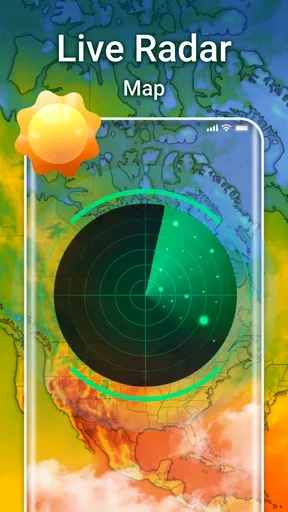
The radar view gives a different kind of context from a forecast: it helps me look at weather around a place rather than only read a summary for it. I find that especially useful when clouds are already gathering and I want to think about whether a walk should be short or postponed. Zooming in can make the view more relevant to nearby plans, while zooming out can help me understand the broader area.
There is a practical limit to that detail. A map can look precise without making the timing of a shower certain at the exact street level. I would use radar to inform a choice, then keep a backup plan if being caught in bad weather would cause a real problem. For a casual stroll, that may mean choosing a route with shelter; for a time-sensitive journey, it is wiser to allow a little flexibility rather than rely on the map alone.
Bring air quality into outdoor decisions
Weather is not the only reason to rethink time outside. The app includes local and national air-quality information, which gives me another factor to consider when planning exercise, errands, or a long afternoon outdoors. It is particularly relevant for someone who would rather compare conditions before committing to a strenuous activity than discover an uncomfortable day after setting out.
One useful approach is to treat air quality and the forecast as separate checks: the weather may be pleasant while the air is less suitable for a long run, or the reverse may be true. That does not make an app a substitute for personal medical advice, but it can make a routine check more complete. If conditions matter strongly to your health, use the information as a prompt to make a cautious choice rather than as a personal all-clear.
Let the details answer a specific question
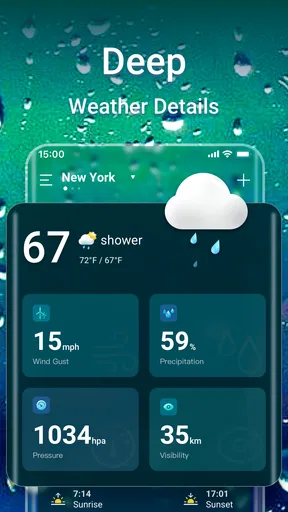
Beyond the basic outlook, the app includes atmospheric pressure, UV index, and sunrise and sunset times. I would not open every measure just to browse; each is more useful when tied to a decision. The UV index can help me think about sun protection during a long outing, while sunrise and sunset times help when I am arranging an early start or trying to finish a walk before it gets dark. Pressure is more of an extra for curious users than a daily necessity.
A small but useful habit is to check the relevant detail before packing, rather than collecting weather numbers without a purpose. For example, an afternoon outside may call for sun protection even if the temperature feels mild. Likewise, a plan that begins near sunset deserves a different kind of timing check from a quick lunchtime errand. Using the measures selectively keeps the app from becoming a wall of data.
Where it fits among weather apps
Compared with a phone’s built-in weather screen, this app is more appealing if I want radar, air-quality context, and extra atmospheric details in one weather-focused place. A basic default forecast may be faster for a glance, and that simplicity can be better when all I need is today’s general outlook. In the other direction, people who depend on specialist storm analysis or professional-grade meteorological tools may prefer an option designed specifically for that work.
That makes the choice fairly straightforward: I would use this for everyday planning, not as a replacement for every source of weather information. Its combination of hourly and daily forecasts with radar is useful for deciding what to wear, when to leave, or whether an outdoor plan needs a fallback. If your routine revolves around a single quick temperature check, the phone’s default app may already be enough.
A realistic day with the app
Imagine I have a morning appointment, an outdoor errand after lunch, and a walk planned in the evening. I would first check the daily view to get a broad sense of the day, then inspect the hours around the errand and walk. If the radar suggests unsettled weather nearby, I could shift the walk earlier or choose a route where I can turn back easily. Before leaving, I might also look at air quality and the UV index if I expect to stay outside for a while.
The benefit is not that every decision becomes certain. It is that several small checks can prevent avoidable surprises: choosing shoes that suit the conditions, carrying a layer, or moving an outdoor task to a more convenient time. The app is most useful when I let it support a plan that can adapt, rather than treating any one screen as a promise that the weather will behave exactly as expected.
Notifications and the handoff to real life
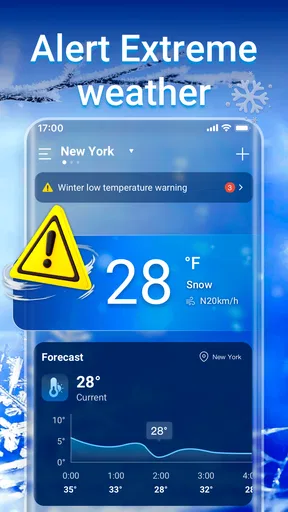
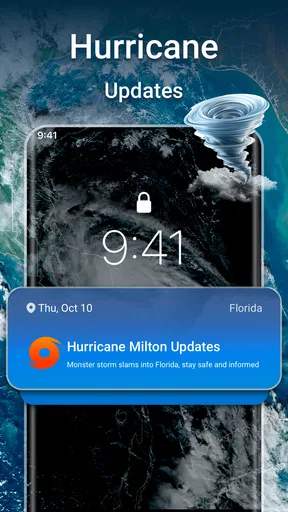
Severe-weather alerts can be valuable when a sudden change affects what I am doing, but notifications are only helpful if I notice and act on them. I would keep alert settings aligned with the places and situations that matter to me, and I would still pay attention to official local guidance during dangerous conditions. An app alert is a useful nudge to reassess a plan, not a reason to ignore stronger instructions or immediate conditions outside.
There is also a handoff between checking the app and getting on with the day. Once I have decided to leave, I do not need to keep refreshing the forecast every few minutes. For a long outing, a later check may make sense; for a short trip, packing for the plausible conditions is usually more practical than repeatedly watching the screen. This keeps weather checking helpful instead of distracting.
Who will get the most from it
I think this is a good fit for people who make frequent small decisions around the weather: commuters, parents coordinating outdoor plans, walkers, runners, and anyone who wants air quality alongside a forecast. The mix of hourly views and radar gives more context than a bare temperature display, while the extra measures reward people who like to check why a day may feel different from the headline forecast.
I would skip it if you want a highly specialized forecasting workstation, or if a simple built-in forecast already answers everything you need. It may also be a poor match for someone who expects a radar image or alert to guarantee precise street-level timing. The best use case is a person willing to combine a forecast with common sense and adjust plans when conditions are uncertain.
What to expect before relying on it
For a reader wondering whether it costs anything, the app is free. Someone deciding whether it suits a shared device can also note its Everyone rating. Those details make it easy to try, but the more important question is whether the location and forecast presentation work for your daily routine. I would install it, check the places I regularly travel between, and see whether its hourly view and air-quality information answer questions I actually have.
Another natural question is whether the app replaces checking outside. I would not use it that way. A forecast is a planning tool, and conditions at the door are still worth noticing, particularly when weather is changing quickly. If you need information for a high-stakes decision, use dependable local sources as well; a general-purpose phone app should not be your only basis for safety-critical choices.
Features That Keep You Ahead
From the moment I opened the Weather Forecast & Live Radar app, I was greeted with a user-friendly interface. It's intuitive and doesn't overwhelm you with data, which is a win in my book. The app offers real-time updates, so you’re never caught off guard. I found this especially useful for those sudden downpours that seem to pop up out of nowhere.
Live Radar
One of my favorite features has to be the live radar. It’s super detailed and allows you to zoom in on specific areas. Whether you want to check out the weather in your neighborhood or see what's going on across the globe, the radar's got you covered. It's like having a little meteorologist in your pocket.
Hourly and Weekly Forecasts
Planning a picnic or a day at the beach? The hourly forecasts are incredibly detailed, giving you temperature, humidity, and wind speed updates by the hour. For those of you who like to plan ahead, the weekly forecast provides a great overview, so you can decide whether to pack that umbrella or sunscreen.
Severe Weather Alerts
Living in an area prone to thunderstorms, I really appreciate the severe weather alerts. These notifications have been a lifesaver, giving me enough time to take precautions. The alerts come in real-time, ensuring you’re always prepared for unexpected weather changes.
A Little Extra for Data Lovers
If you're someone who loves diving deep into weather data, the app also offers detailed atmospheric pressure, UV index, and even sunset and sunrise times. It's like a mini weather station right at your fingertips.
Final Thoughts
All in all, the Weather Forecast & Live Radar app is a reliable companion for anyone who needs accurate weather information on the go. Its user-friendly interface combined with detailed data ensures you’re always prepared, no matter what Mother Nature throws your way. Whether you’re a casual user or a weather buff, this app has something for everyone. Give it a try, and you might just find yourself checking the weather more often than you thought!
Pros
- Accurate real-time weather updates.
- Customizable alerts for severe weather.
- Interactive radar with smooth animations.
- User-friendly interface and design.
- Supports multiple locations easily.
Cons
- Ads can be intrusive at times.
- Some features require premium subscription.
- Occasional delays in radar updates.
- Limited offline functionality.
- Battery consumption can be high.
FAQs for Weather Forecast & Live Radar
What features does the Weather Forecast & Live Radar app offer?
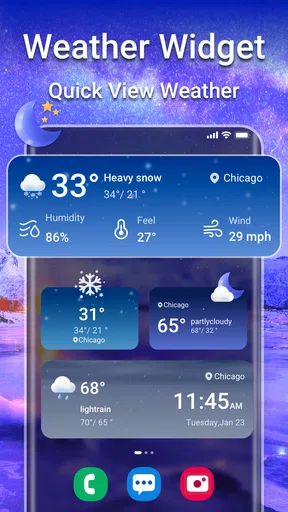
The Weather Forecast & Live Radar app provides real-time weather updates, detailed forecasts for the next 10 days, and interactive radar maps. Users can customize notifications for severe weather alerts and view detailed information on temperature, wind speed, humidity, and precipitation. It also includes a widget for quick access to weather updates on your home screen.
Is the app free to use, or are there any in-app purchases?
The Weather Forecast & Live Radar app is free to download and use, offering basic features without any cost. However, it does offer in-app purchases for premium features, such as ad-free browsing, extended forecast details, and advanced radar tools. These purchases enhance the user experience but are not mandatory for basic functionality.
How accurate is the weather data provided by the app?
The app sources its data from multiple reputable meteorological services to ensure accuracy. It continuously updates its information to provide real-time conditions and forecasts. While no app can guarantee 100% accuracy, users have reported a high level of precision in the app's forecasts, making it a reliable tool for weather planning.
Does the app support multiple locations for weather updates?
Yes, the app allows users to add and monitor weather conditions in multiple locations. This is particularly useful for travelers or users who wish to keep an eye on weather conditions in different places. You can easily switch between these locations to view forecasts and radar information for each.
What platforms is the Weather Forecast & Live Radar app available on?
The app is available for both Android and iOS devices. It can be downloaded from the Google Play Store for Android users and the Apple App Store for iOS users. The app is designed to be user-friendly on both platforms, ensuring a smooth experience regardless of the device you use.


